This steelseries apex pro gen 3 review looks at a tenkeyless gaming keyboard built around adjustable magnetic switches and a set of rapid-input tools.
It is aimed at players who want to tune key response for different games and can make use of per-game presets.
Apex Pro TKL Review Summary
The quick verdict
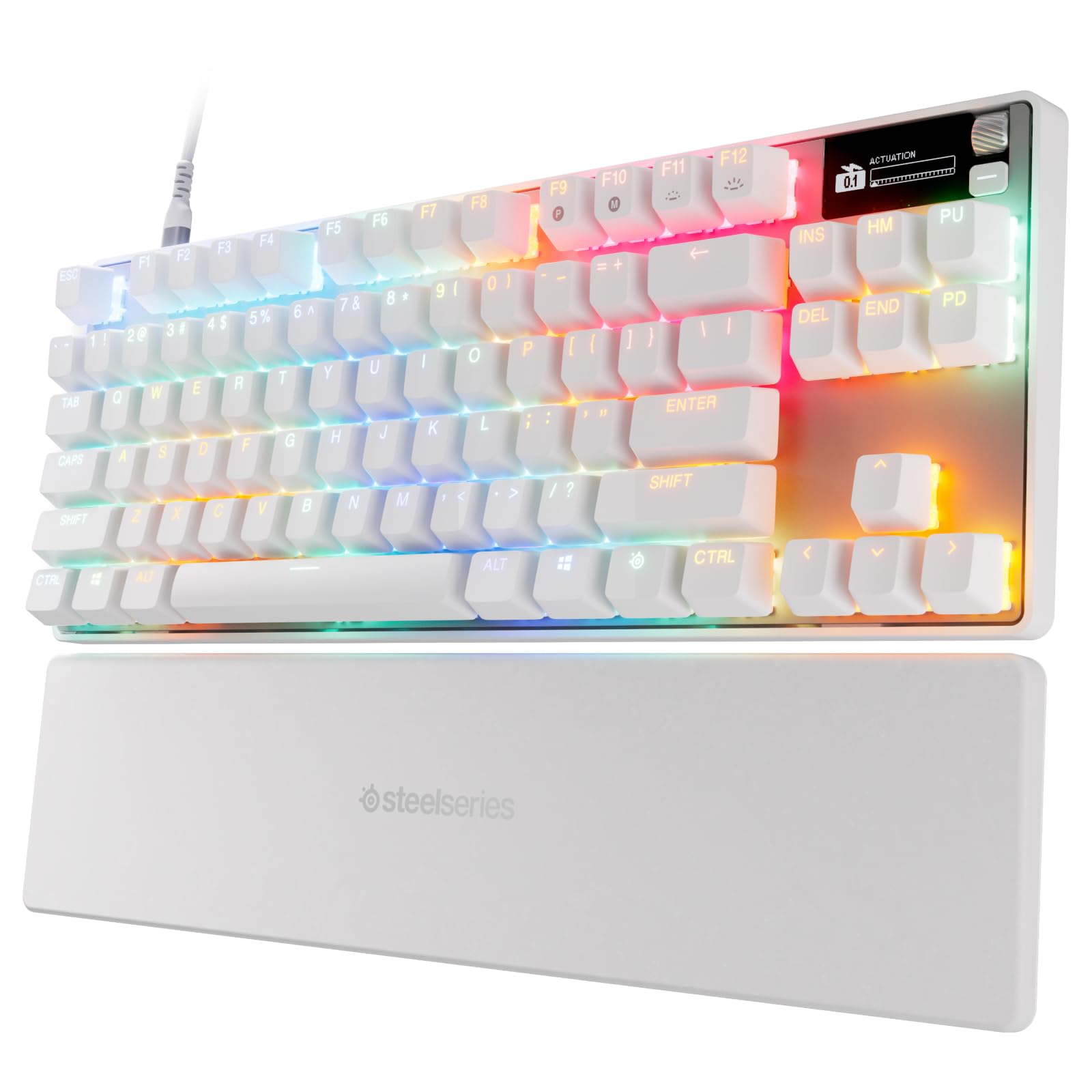
500+ ratings
Read Amazon ReviewsSteelSeries Apex Pro TKL Gen 3
A compact wired gaming keyboard for players who want adjustable key actuation, rapid input features, and settings they can change without leaving a game.
- OmniPoint 3.0 analog magnetic switches use Hall Effect sensing.
- Forty adjustable actuation levels cover a 0.1 mm to 4.0 mm range.
- Rapid Trigger resets a key when it is released, supporting quick successive presses.
- Rapid Tap prioritizes the most recent key press for directional movement inputs.

Pros
- Wide actuation range gives players meaningful control over key response.
- Rapid Trigger and Rapid Tap address different fast-input use cases.
Consider before buying
- The 40-step actuation range and multiple rapid-input modes may take time to tune well.
- Its specialized competitive features may have limited value for casual typing or basic gaming.
Read the full review summary
The Apex Pro TKL Gen 3 pairs OmniPoint 3.0 Hall Effect switches with 40 actuation settings across a 0.1 mm to 4.0 mm range.
That adjustability gives players room to set keys for a light, quick response or a deeper press, while Rapid Trigger and Rapid Tap add options for games where repeated movement inputs matter.
Quickset auto-presets, onboard configuration storage, and an OLED display make the keyboard especially appealing to players who like to adjust settings around their game rotation.
Its wired, tenkeyless format keeps the feature set focused on desktop play; buyers who mainly want a quiet, simple keyboard may not need the extra tuning controls.
The buying factors
Apex Pro TKL Scorecard
Editorial scores reflect listed features and buyer fit; they are not laboratory measurements or customer ratings.
Switch adjustability
Forty actuation levels from 0.1 mm to 4.0 mm give players broad control over when a key registers.
Rapid input features
Rapid Trigger and Rapid Tap provide dedicated options for fast repeated inputs and directional movement.
Game-specific setup
Quickset auto-presets are designed to make switching configurations with games more convenient.
On-keyboard control
The OLED display supports changing settings directly on the keyboard, and configurations can stay saved onboard.
Competitive gaming fit
Adjustable actuation and rapid-input modes are well matched to players who want to tune movement and key response.
Everyday simplicity
Its specialized settings can be useful, though they may be more than a casual or general-purpose user needs.
Key Features and Specifications of Apex Pro TKL
- OmniPoint 3.0 analog magnetic switches use Hall Effect sensing.
- Forty adjustable actuation levels cover a 0.1 mm to 4.0 mm range.
- Rapid Trigger resets a key when it is released, supporting quick successive presses.
- Rapid Tap prioritizes the most recent key press for directional movement inputs.
- Protection Mode is designed to reduce accidental presses on nearby keys.
- Quickset auto-presets can load configurations when a game starts.
- An OLED display allows settings changes on the keyboard, with configurations saved onboard.
Pros and Cons of Apex Pro TKL
Pros
- Wide actuation range gives players meaningful control over key response.
- Rapid Trigger and Rapid Tap address different fast-input use cases.
- Protection Mode offers a setting intended to help limit nearby-key mistakes.
- Quickset presets and onboard storage support a game-by-game setup.
- The OLED display provides direct access to settings without leaving the game.
Consider before buying
- The 40-step actuation range and multiple rapid-input modes may take time to tune well.
- Its specialized competitive features may have limited value for casual typing or basic gaming.
- The wired tenkeyless layout may not suit buyers who prefer a different desk layout or wireless setup.
Who Should Buy Apex Pro TKL?
Good fit
Consider the Apex Pro TKL Gen 3 if you play games where quick repeated key presses or directional movement are central to your control.
Rapid Trigger and Rapid Tap give you separate tools to shape those inputs, while adjustable actuation lets you choose a response point across a broad range.
It is also a strong fit if you frequently switch games and want to save configurations for them.
Quickset presets, onboard storage, and the OLED display make configuration part of the keyboard itself, which can be useful when you want to make a change without opening a separate control panel.
Before buying, think about whether you will actually spend time tuning the switches and learning the rapid-input modes. If you expect to use a keyboard mostly at default settings, much of this model’s appeal may go unused.
Who should skip it
Skip it if you want a straightforward keyboard for general typing and occasional play and have no interest in adjustable actuation or per-game profiles. A simpler model may better match that routine.
Look elsewhere if a wired tenkeyless design does not fit your desk preferences. Check the layout and connection details against your setup before choosing.
SteelSeries Apex Pro TKL Gen 3 Review: What Its Controls Mean in Play
Adjustable actuation for different games
The 0.1 mm to 4.0 mm actuation range gives you room to choose how far a key travels before registering, with 40 levels available.
Players can tune frequently used movement or action keys to suit a particular game, then keep a different feel for other play styles.
The practical benefit depends on whether you prefer to adjust and remember those settings; the wide range is a tool, not a guarantee of faster play.
Rapid Trigger and Rapid Tap serve different roles
Rapid Trigger is described as resetting a key when you release it, which can support quick repeated presses. Rapid Tap instead gives priority to the latest key press, a design aimed at rapid directional changes such as strafing.
These options target players who rely on deliberate movement inputs, so it helps to consider which actions in your games could benefit before building a setup around them.
Quickset, OLED, and saved configurations
Quickset auto-presets are intended to launch configurations when a game loads, while onboard storage keeps configurations on the keyboard. The OLED display lets you adjust settings directly from the device.
Together, these features make the keyboard's tuning easier to access during a multi-game routine, especially if you prefer to manage controls at the desk instead of leaving a game to change them.
Protection Mode and nearby keys
Protection Mode is designed to reduce accidental key presses on nearby keys, a consideration for players whose hands move quickly across the keyboard. It can be relevant when an unintended press would disrupt an important action.
Because it changes how neighboring inputs are treated, buyers should check how it works with their preferred key layout and the games they play.
Alternatives to Apex Pro TKL
Computer Keyboards alternative
2,000+ ratings
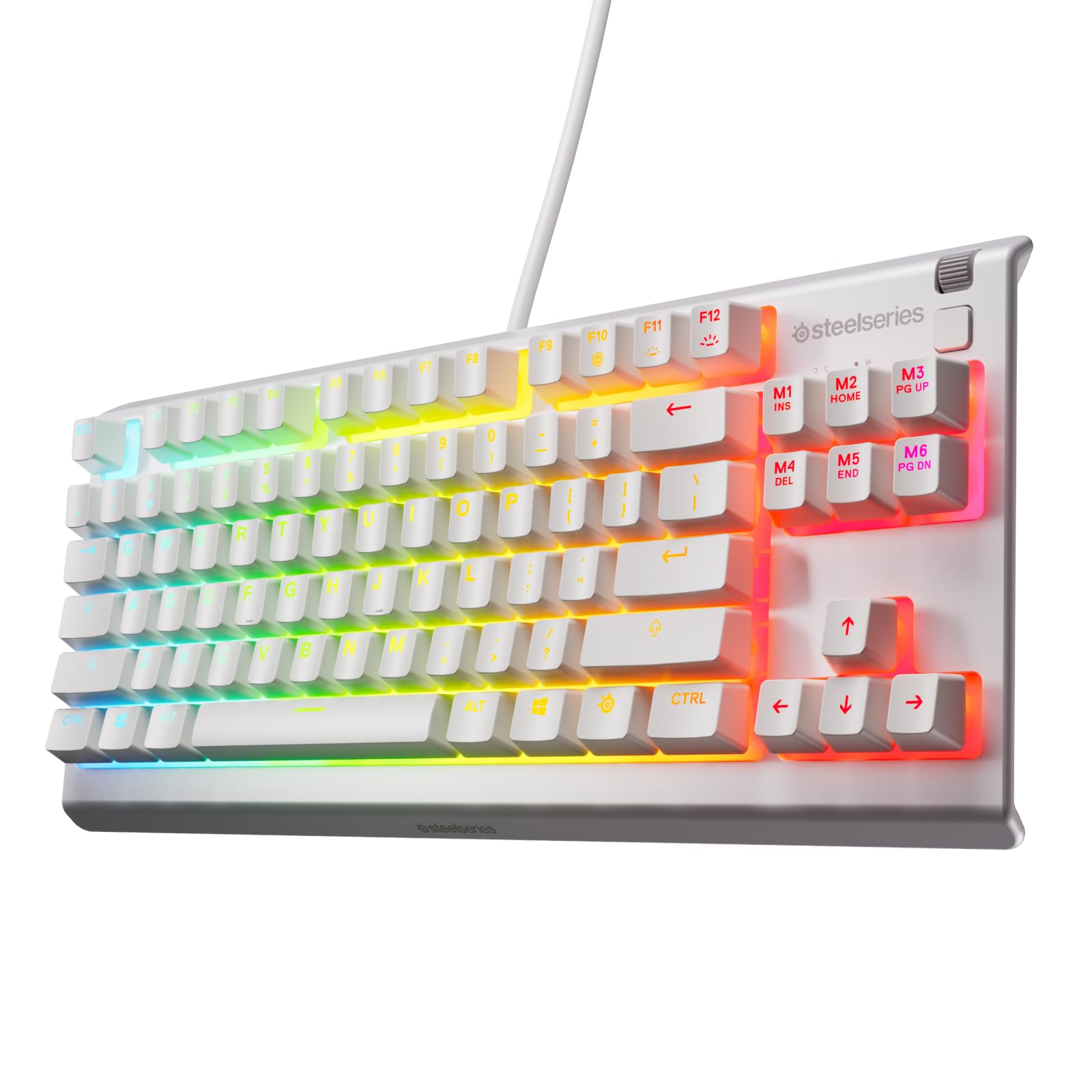
Read Amazon ReviewsSteelSeries Apex 3 TKL
Choose the Apex Pro TKL Gen 3 if adjustable actuation and rapid-input features are priorities. The Apex 3 TKL is a closer fit if you mainly want a compact, quieter gaming keyboard with resistance to dust and splashes.
- The Apex 3 TKL offers a compact tenkeyless layout, whisper-quiet switches, water and dust resistance, anti-ghosting keys, and 8-zone RGB illumination.
- The Apex Pro TKL Gen 3 centers on adjustable magnetic switches, rapid-input modes, and game-specific configuration tools.
Computer Keyboards alternative
8,000+ ratings
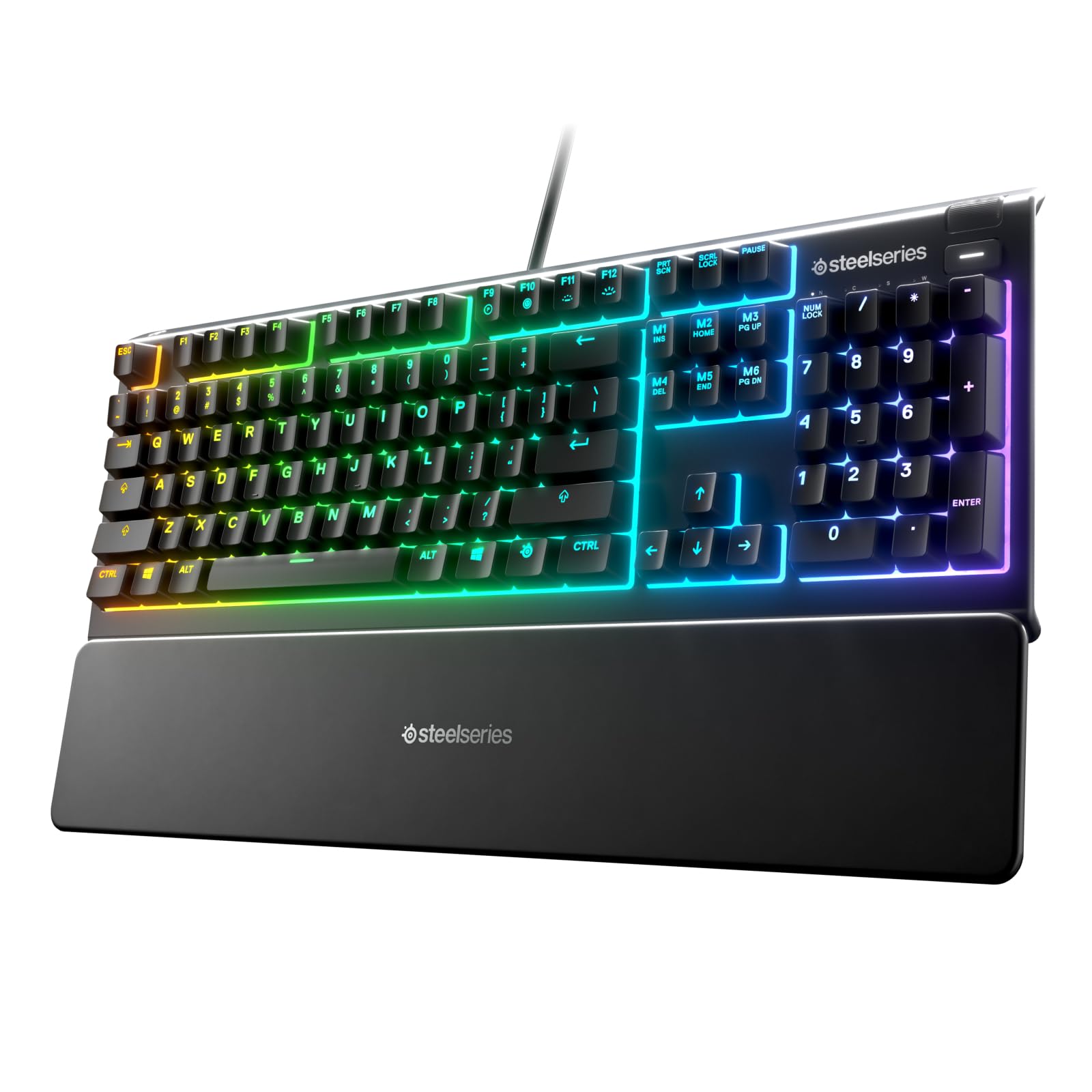
Read Amazon ReviewsSteelSeries Apex 3
Pick the Apex Pro TKL Gen 3 for switch tuning and its compact tenkeyless design. The Apex 3 suits buyers who prefer a wrist rest and dedicated media controls, and who value spill resistance over adjustable magnetic switches.
- The full-size Apex 3 has whisper-quiet switches, 10-zone RGB illumination, IP32 water resistance, a magnetic wrist rest, and dedicated multimedia controls.
- The Apex Pro TKL Gen 3 is built for players who want to adjust actuation and use rapid-input features for game controls.
Is Apex Pro TKL Worth It?
The SteelSeries Apex Pro TKL Gen 3 is worth considering for competitive players who want fine control over key actuation, rapid repeated inputs, and game-specific configurations.
Its adjustable switches, Rapid Trigger, Rapid Tap, Quickset presets, and OLED controls make a coherent package for a desk-based gaming setup.
Buy it if you expect to use those controls and are comfortable spending time tuning them.
If you want a simpler keyboard, or do not want a wired tenkeyless layout, its specialized strengths may not justify choosing it for your needs.
Your review at a glance
500+ ratings
Read Amazon ReviewsSteelSeries Apex Pro TKL Gen 3
A compact wired gaming keyboard for players who want adjustable key actuation, rapid input features, and settings they can change without leaving a game.
- OmniPoint 3.0 analog magnetic switches use Hall Effect sensing.
- Forty adjustable actuation levels cover a 0.1 mm to 4.0 mm range.
- Rapid Trigger resets a key when it is released, supporting quick successive presses.
- Rapid Tap prioritizes the most recent key press for directional movement inputs.