The SHOKZ OpenComm2 UC Open-Ear Headset review is for people who spend much of the day on computer calls and want to keep their ears uncovered.
Its boom microphone, included Loop120 wireless adapter, and call-friendly controls make it a focused option for desk work and mobile routines.
OpenComm2 UC Review Summary
The quick verdict
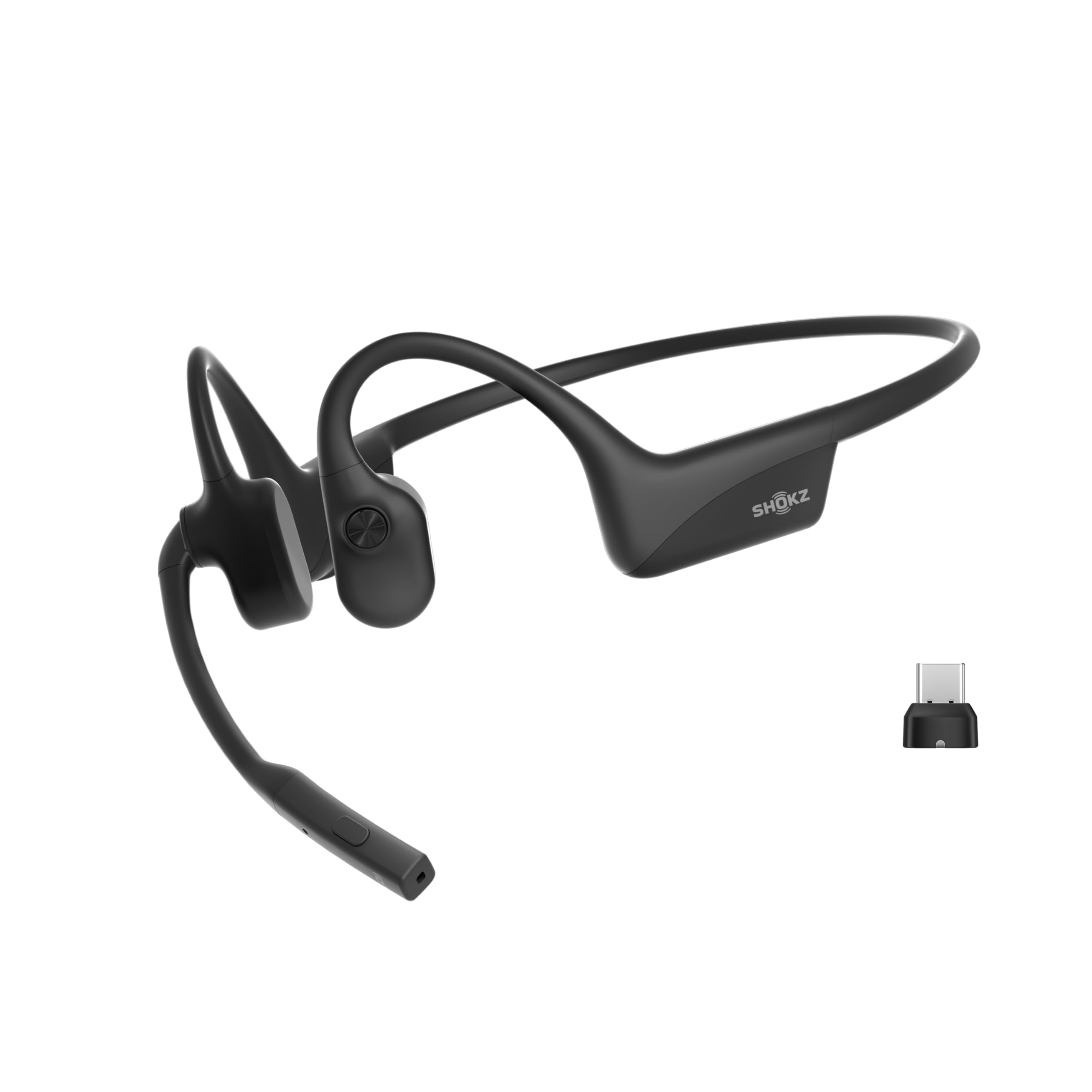
500+ ratings
Read Amazon ReviewsSHOKZ OpenComm2 UC
A work-focused open-ear headset for people who want a boom mic, physical call controls, and a USB-C adapter for PC or Mac use.
- Open-ear bone conduction design uses SHOKZ 7th generation technology with PremiumPitch 2.0 audio.
- Noise-canceling boom microphone uses DSP technology for calls.
- Loop120 USB-C wireless adapter is included for PC and Mac compatibility; the headset is Zoom-Certified.
- Weighs 35 g and has a flexible frame with a soft silicone finish.

Pros
- The boom microphone and DSP noise cancellation are purpose-built for voice conversations.
- An included USB-C adapter makes the computer setup more direct for compatible PC and Mac users.
Consider before buying
- The listed listening time is shorter than the talk-time figure, so users planning long stretches of music or audio should weigh which mode matters most.
- The USB-C adapter is central to the computer-focused setup; buyers should check their computer has a suitable USB-C port or compatible adapter.
Read the full review summary
OpenComm2 UC combines an open-ear fit with bone conduction audio and a noise-canceling boom microphone.
The 35-gram frame, flexible construction, and soft silicone finish are designed for extended wear, while IP55 water resistance may suit commutes or workdays that involve light exposure to moisture.
The strongest fit is someone who needs a dedicated headset for PC or Mac conversations and values quick access to mute and volume controls.
Its listed battery figures are up to 16 hours of talk time or 8 hours of listening, and a five-minute quick charge provides up to two hours of talk time.
That mix points toward a call-first headset, rather than a general-purpose music pick.
The buying factors
OpenComm2 UC Scorecard
Editorial scores reflect listed features and buyer fit; they are not laboratory measurements or customer ratings.
Computer-call focus
A boom microphone, DSP noise cancellation, and Zoom certification align closely with frequent work calls.
Open-ear comfort design
The 35-gram weight, flexible frame, and soft silicone finish are designed to support extended wear.
Call control access
Physical buttons cover volume, mute, play, and pause without relying on touch gestures.
Battery for calls
Up to 16 hours of talk time and a short quick-charge window are useful for call-heavy days.
Listening versatility
It supports both calls and audio listening, though the work-oriented microphone and adapter are its central strengths.
Moisture tolerance
IP55 water resistance adds flexibility for everyday wear, while the headset is not presented as a swimming option.
Key Features and Specifications of OpenComm2 UC
- Open-ear bone conduction design uses SHOKZ 7th generation technology with PremiumPitch 2.0 audio.
- Noise-canceling boom microphone uses DSP technology for calls.
- Loop120 USB-C wireless adapter is included for PC and Mac compatibility; the headset is Zoom-Certified.
- Weighs 35 g and has a flexible frame with a soft silicone finish.
- IP55 water resistance is specified for the headset.
- Physical controls adjust volume, mute or unmute calls, and play or pause audio.
- Battery life is listed as up to 16 hours of talk time or 8 hours of listening, with a five-minute charge providing up to two hours of talk time.
Pros and Cons of OpenComm2 UC
Pros
- The boom microphone and DSP noise cancellation are purpose-built for voice conversations.
- An included USB-C adapter makes the computer setup more direct for compatible PC and Mac users.
- Open-ear wear keeps the ear canals uncovered, which some users may prefer during long work sessions.
- Physical buttons offer straightforward access to mute and volume.
- Quick charging can help recover talk time during a short break.
Consider before buying
- The listed listening time is shorter than the talk-time figure, so users planning long stretches of music or audio should weigh which mode matters most.
- The USB-C adapter is central to the computer-focused setup; buyers should check their computer has a suitable USB-C port or compatible adapter.
- An open-ear headset leaves the listener more exposed to surrounding sound, which may be distracting in noisy work areas.
Who Should Buy OpenComm2 UC?
Good fit
Consider OpenComm2 UC if computer meetings are a regular part of your day and you want controls and a boom mic suited to that routine.
The included Loop120 adapter, Zoom certification, and PC and Mac compatibility make it especially relevant to a desk setup where call access matters more than a compact earbud design.
It may also suit people who dislike having earbuds seal their ear canals.
Its lightweight frame and open-ear construction are designed for extended wear, while the listed talk time and quick charge offer practical flexibility when calls run throughout the day.
Before choosing it, think about your environment and usage mix. Open-ear listening lets surrounding sound remain part of the experience, and the stated listening duration is lower than the talk-time maximum.
If calls are the priority, those figures look more favorable than if you mainly want all-day music playback.
Who should skip it
Skip it if you need strong isolation from office, household, or transit noise; the open-ear design does not seal out your surroundings.
It is a less natural match for buyers whose main goal is sports listening, swimming, or extended music sessions. Check that your routine aligns with the headset's computer-call emphasis and its listed listening time.
How the OpenComm2 UC Fits a Workday
An open-ear approach to calls
Bone conduction audio and an uncovered-ear fit shape how this headset is meant to be used.
That can be appealing when you want to stay aware of nearby activity while taking a call, but it also means your surroundings remain audible.
A quiet workspace will make this design easier to appreciate than a loud shared room.
Boom mic and call controls
The boom microphone is paired with DSP noise cancellation, and the headset adds physical buttons for mute and volume. Together, those details suit meetings where reaching for call controls matters.
Zoom certification also speaks to its work-call positioning, though buyers should confirm the headset fits their specific meeting setup and habits.
The adapter and compatibility
Loop120 is included as a USB-C wireless adapter for PC and Mac use. This can simplify the intended computer connection, especially for a dedicated work headset.
Check the ports on the computer you plan to use and whether your setup needs an additional adapter before relying on the bundled USB-C connection.
Comfort, charging, and daily use
At 35 g, with a flexible frame and soft silicone finish, the design prioritizes low-bulk wear over an in-ear seal.
IP55 water resistance adds some tolerance for everyday moisture, while the battery figures distinguish call use from listening use.
The five-minute charge providing up to two hours of talk time is a useful buffer if charging gets missed between meetings.
Alternatives to OpenComm2 UC
Dual-driver alternative
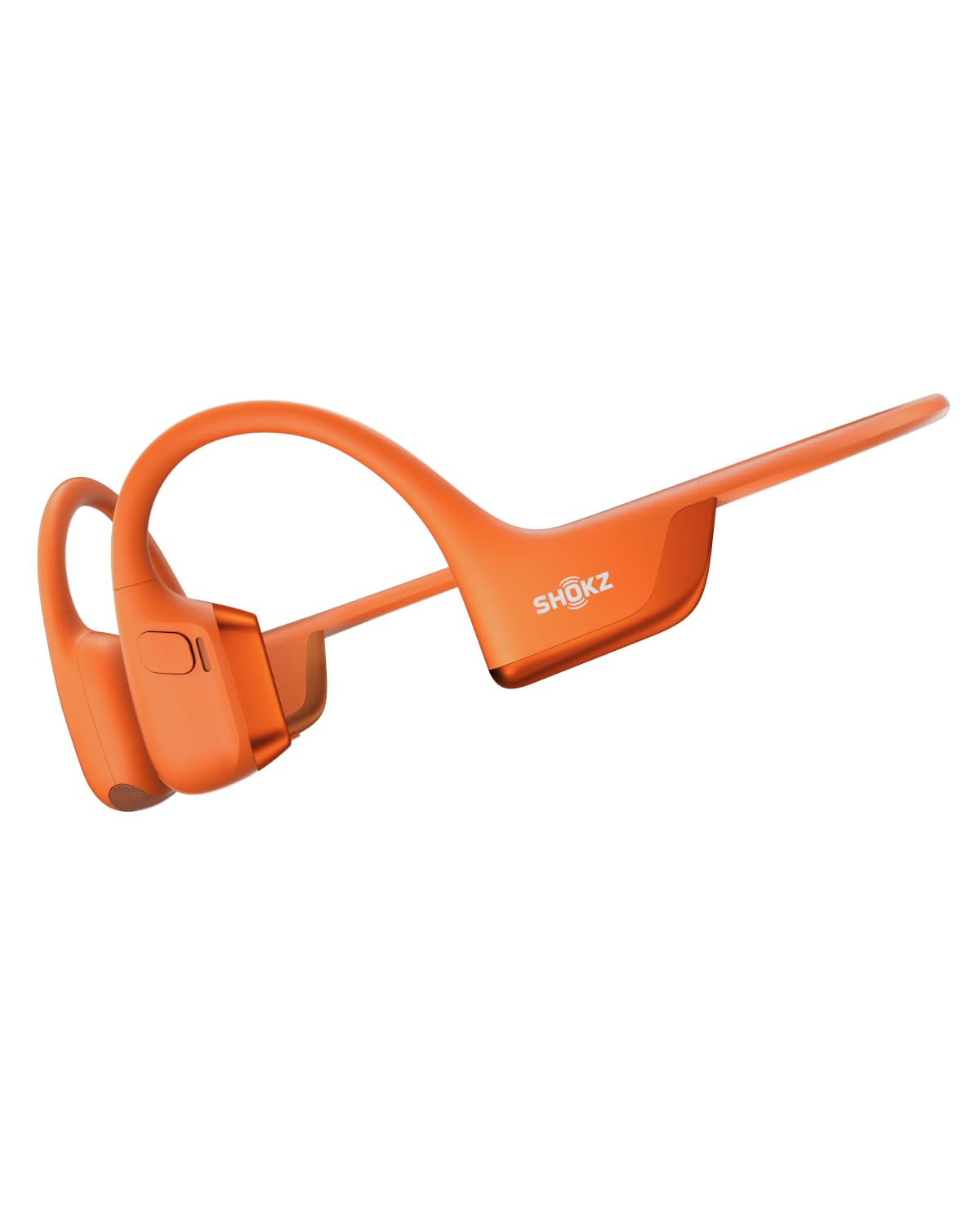
9,000+ ratings
Read Amazon ReviewsSHOKZ OpenRun Pro 2
Choose OpenComm2 UC for computer meetings and its bundled adapter. Consider OpenRun Pro 2 if workout use, its stated audio approach, and adjustable EQ modes better match your routine.
- OpenRun Pro 2 is presented as a workout-oriented headset with dual bone and air conduction drivers, up to 12 hours of audio, dedicated EQ modes, and dual wind-resistant microphones.
- OpenComm2 UC centers computer calls with a boom microphone, Zoom certification, and an included USB-C adapter.
Open-Ear Headphones alternative
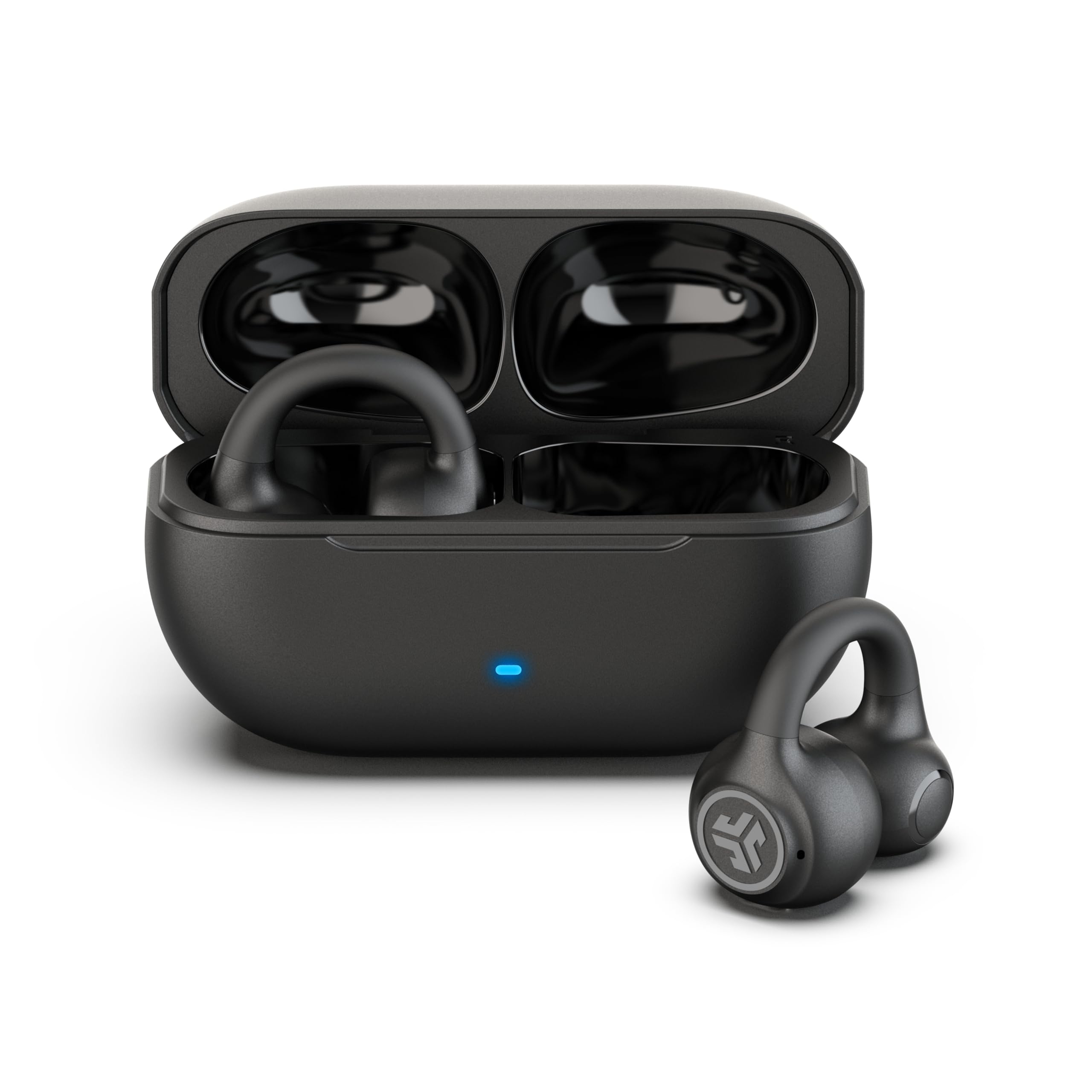
2,000+ ratings
Read Amazon ReviewsJLab Flex Open Ear Earbuds
OpenComm2 UC is the more directly work-focused option for someone who values a boom mic and included computer adapter. JLab Flex may fit buyers who prefer clip-on earbuds and a case-based charging setup with multipoint pairing.
- JLab Flex uses clip-on earbuds with a charging case, Bluetooth multipoint, app EQ, and a MEMS noise-canceling microphone.
- OpenComm2 UC uses a wraparound open-ear headset design, boom mic, physical call controls, and a USB-C adapter for computer use.
Is OpenComm2 UC Worth It?
SHOKZ OpenComm2 UC is worth considering as a dedicated computer-call headset, especially if you want open-ear wear, a boom microphone, physical mute controls, and an included USB-C adapter for PC or Mac.
Its weight, flexible frame, and talk-time rating make the design well aligned with a workday built around calls.
Choose it with realistic expectations: open-ear listening leaves environmental sound present, and the listed listening time is shorter than the call-time maximum.
If those tradeoffs fit your workspace and your primary use is meetings, OpenComm2 UC has a coherent, purpose-built feature set.
Your review at a glance
500+ ratings
Read Amazon ReviewsSHOKZ OpenComm2 UC
A work-focused open-ear headset for people who want a boom mic, physical call controls, and a USB-C adapter for PC or Mac use.
- Open-ear bone conduction design uses SHOKZ 7th generation technology with PremiumPitch 2.0 audio.
- Noise-canceling boom microphone uses DSP technology for calls.
- Loop120 USB-C wireless adapter is included for PC and Mac compatibility; the headset is Zoom-Certified.
- Weighs 35 g and has a flexible frame with a soft silicone finish.