A good tech gift can make a daily routine smoother, give a creative project a boost, or turn a familiar desk into a more comfortable workspace.
These 15 picks range from small, practical accessories to bigger upgrades. Consider how the recipient works, plays, listens, and connects devices before choosing.
15 Christmas Gift Ideas for People Who Love Tech
SABRENT USB-C 6-Port Hub & M.2 SSD Dock

- Three USB Type-A ports cover faster peripherals and an additional USB 2.0 port for keyboards and mice.
- The HDMI 2.0 port supports an external display at up to 4K@60Hz on compatible devices.
- The internal M.2 slot supports SATA or NVMe SSDs in 2242, 2260, and 2280 form factors.
Best Gift For: A laptop user who wants ports, networking, display output, and extra storage in one travel hub.

SHOKZ OpenRun Pro 2 Bone Conduction Headphones
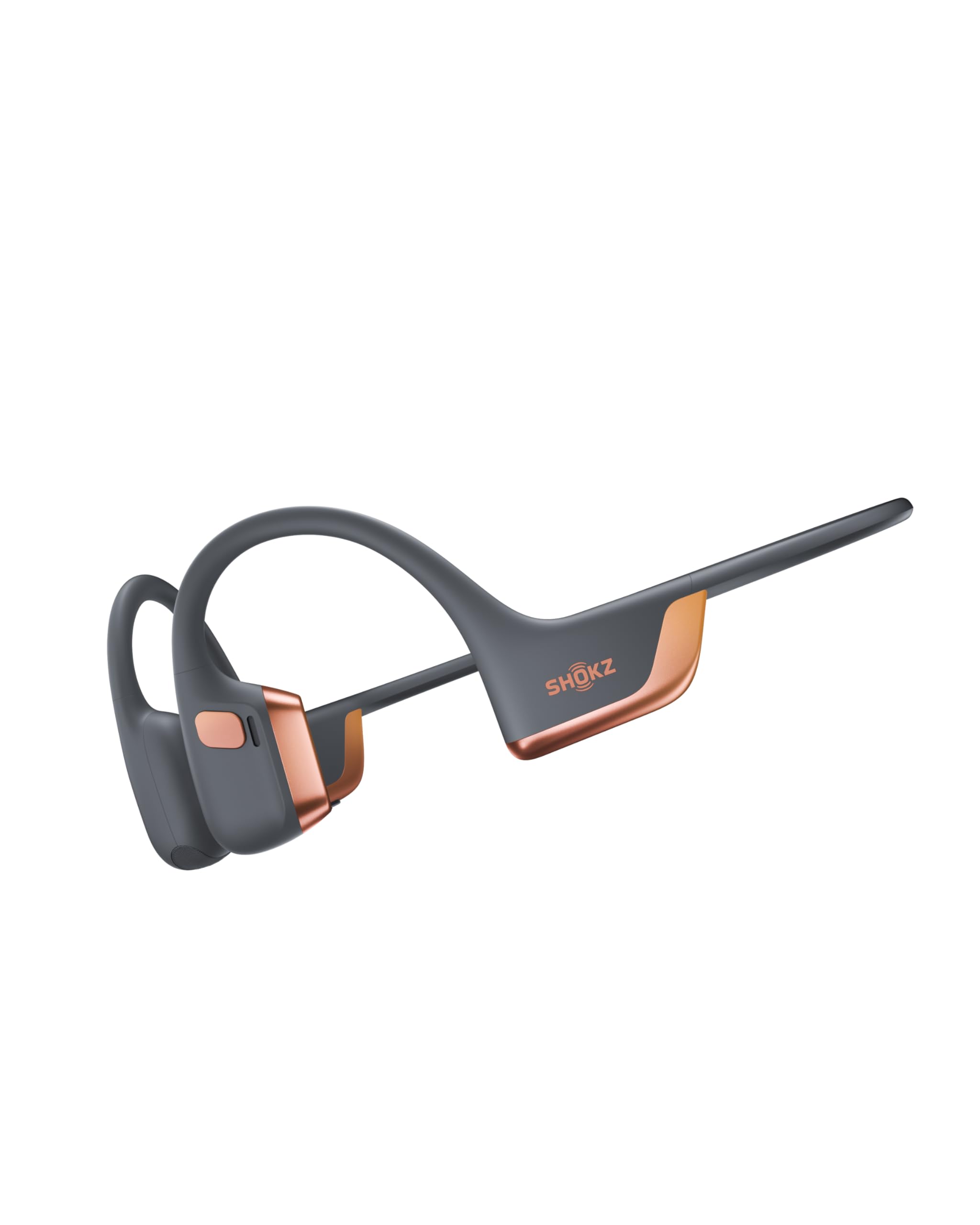
- The open-ear design is intended to keep workouts connected to surrounding sounds.
- The Rose Gold Edition combines bone conduction and air conduction drivers.
- The headphones provide up to 12 hours of audio.
Best Gift For: An adult who listens to audio during workouts and values an open-ear design.
SHOKZ OpenFit Open-Ear Earhook Earbuds

- The soft silicone cushions and ergonomic design are made for comfortable wear.
- The flexible ear hooks are designed for a soft, secure grip.
- The charging case supports up to 28 hours of listening.
Best Gift For: A listener who wants open-ear earbuds for commuting, workouts, and everyday audio.
HUANUO FlowLift Dual Monitor Stand

- Each arm holds a monitor weighing 4.4 to 19.8 lbs; monitors should measure 13 to 32 inches and have compatible VESA mounting holes.
- The arms allow tilt, swivel, and rotation for adjusting screen position.
- Built-in cable management routes cords along the arms.
Best Gift For: A home-office or gaming desk user with two compatible monitors and a suitable wooden desk.
TMY 1080P Mini Portable Projector with Screen
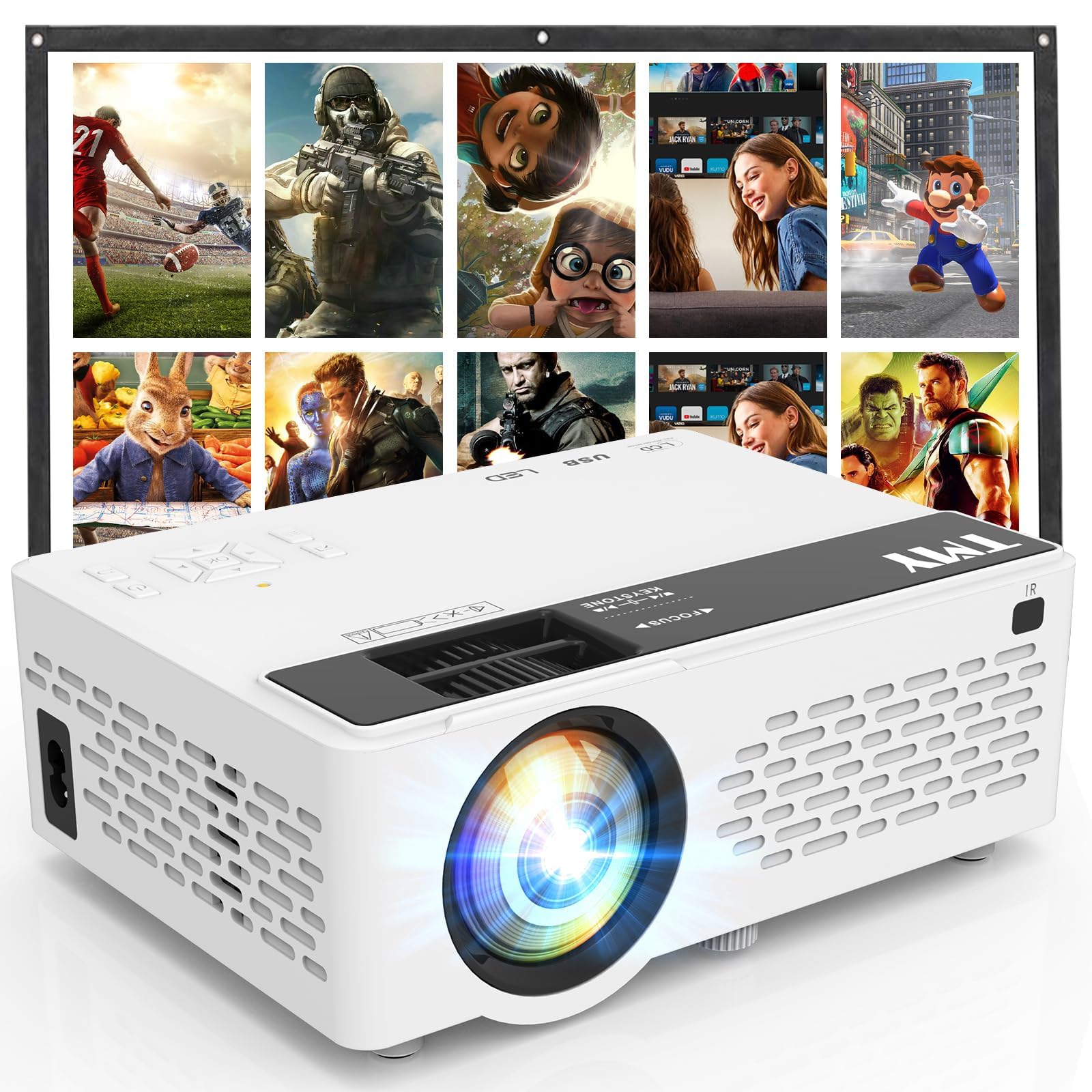
- The package includes an 80-inch foldable projection screen.
- Two-way Bluetooth connects external speakers or lets the projector play audio as a Bluetooth speaker.
- Built-in HDMI and USB ports connect to compatible devices such as laptops and game consoles.
Best Gift For: Someone who enjoys setting up movie, gaming, or presentation viewing at home or outdoors.
FIFINE T669 USB Condenser Microphone Kit

- USB setup connects to a PC or laptop without additional hardware or drivers.
- The kit includes a boom arm stand, shock mount, and double pop filter.
- The cardioid capsule captures audio from the front and is intended to avoid ambient noise.
Best Gift For: A budding podcaster, streamer, or voice-over creator setting up a computer-based recording space.
BESTEK PD20W USB Power Strip Tower
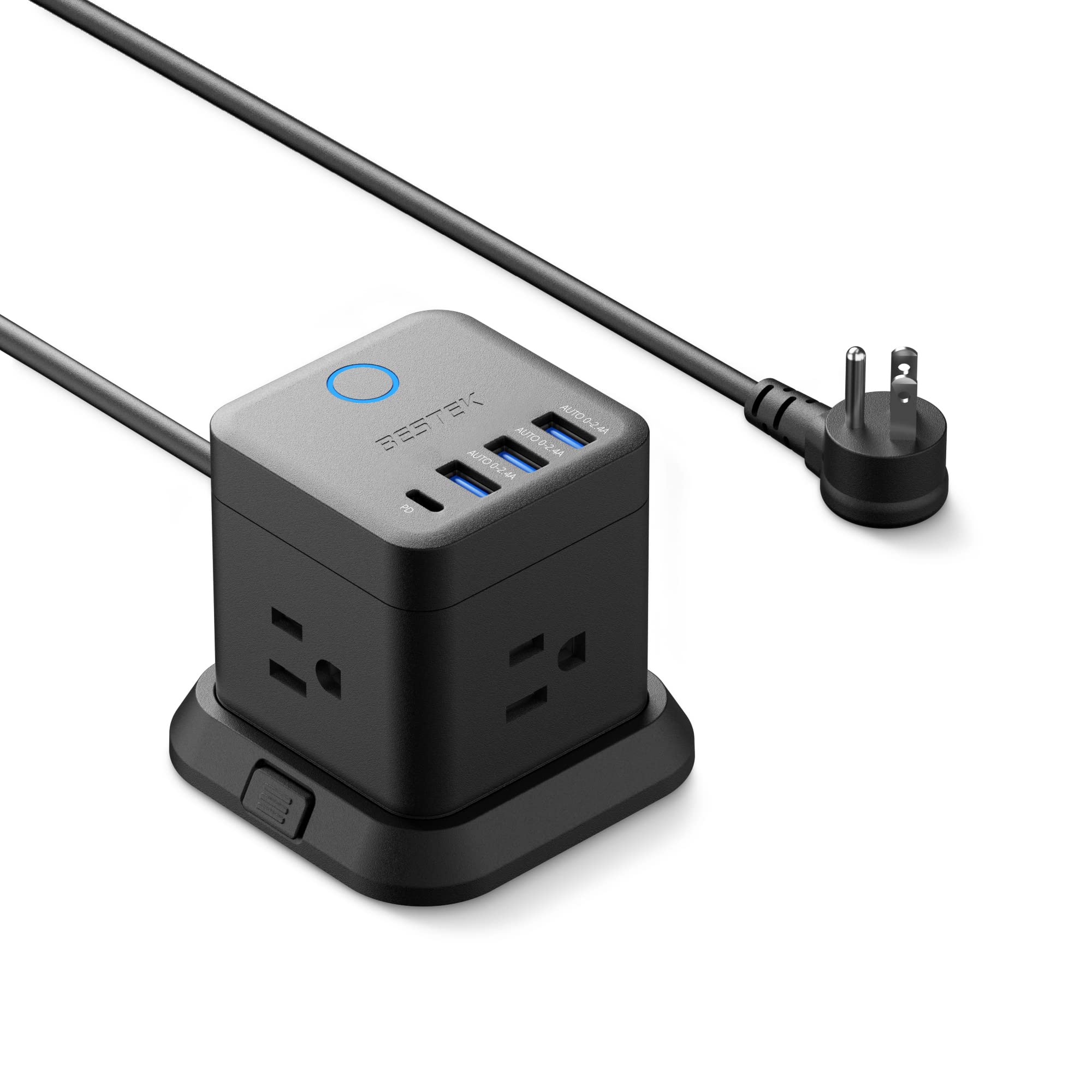
- The tower combines three outlets with three USB-A ports and one USB-C port.
- The USB-C port supports PD3.0 with output up to 20W.
- A flat plug and widely spaced outlets are suited to narrower spaces.
Best Gift For: Someone organizing a bedside table, home office, or shared charging area.
TP-Link AXE5400 Tri-Band WiFi 6E Router

- The router uses tri-band WiFi 6E, including a 6 GHz band.
- True Tri-Band and OFDMA technology increase capacity by 4 times, enabling simultaneous transmission to more devices.
- OneMesh support allows connection with a TP-Link OneMesh extender.
Best Gift For: A household with compatible devices that wants a router for gaming, streaming, and many connected devices.
SteelSeries Apex Pro TKL Gaming Keyboard

- Per-key actuation offers 40 levels of adjustment.
- Two actions can be programmed to the same key.
- The keyboard has a detachable USB-C connection.
Best Gift For: A PC gamer who wants adjustable key response and a compact tenkeyless keyboard layout.
Audioengine A2+ Wireless Computer Speakers

- The integrated 24-bit DAC connects to a computer through USB-C.
- Bluetooth 5.3 aptX-HD supports wireless streaming; wired connections include USB-C, RCA, and 3.5mm AUX.
- The speakers use hand-finished real wood cabinets.
Best Gift For: A desk listener who enjoys music, games, podcasts, video calls, or movies at a computer.
Nulaxy Pull-Out Height Adjustable Laptop Stand

- The stand fits laptops from 10 to 17 inches.
- Its pull-out height adjusts from 1.2 to 20 inches.
- The stand supports up to 22 lbs.
Best Gift For: A laptop user who switches between sitting and standing at a desk.
SteelSeries Aerox 3 Wireless Gaming Mouse

- The mouse has configurable three-zone RGB lighting.
- Its wireless options include 2.4GHz and Bluetooth 5.0.
- The design includes protection against water splashes, dust, and dirt.
Best Gift For: A PC gamer looking for a wireless mouse with customizable lighting and a lightweight design.
LISEN 3-in-1 Travel Power Bank with Wall Plug
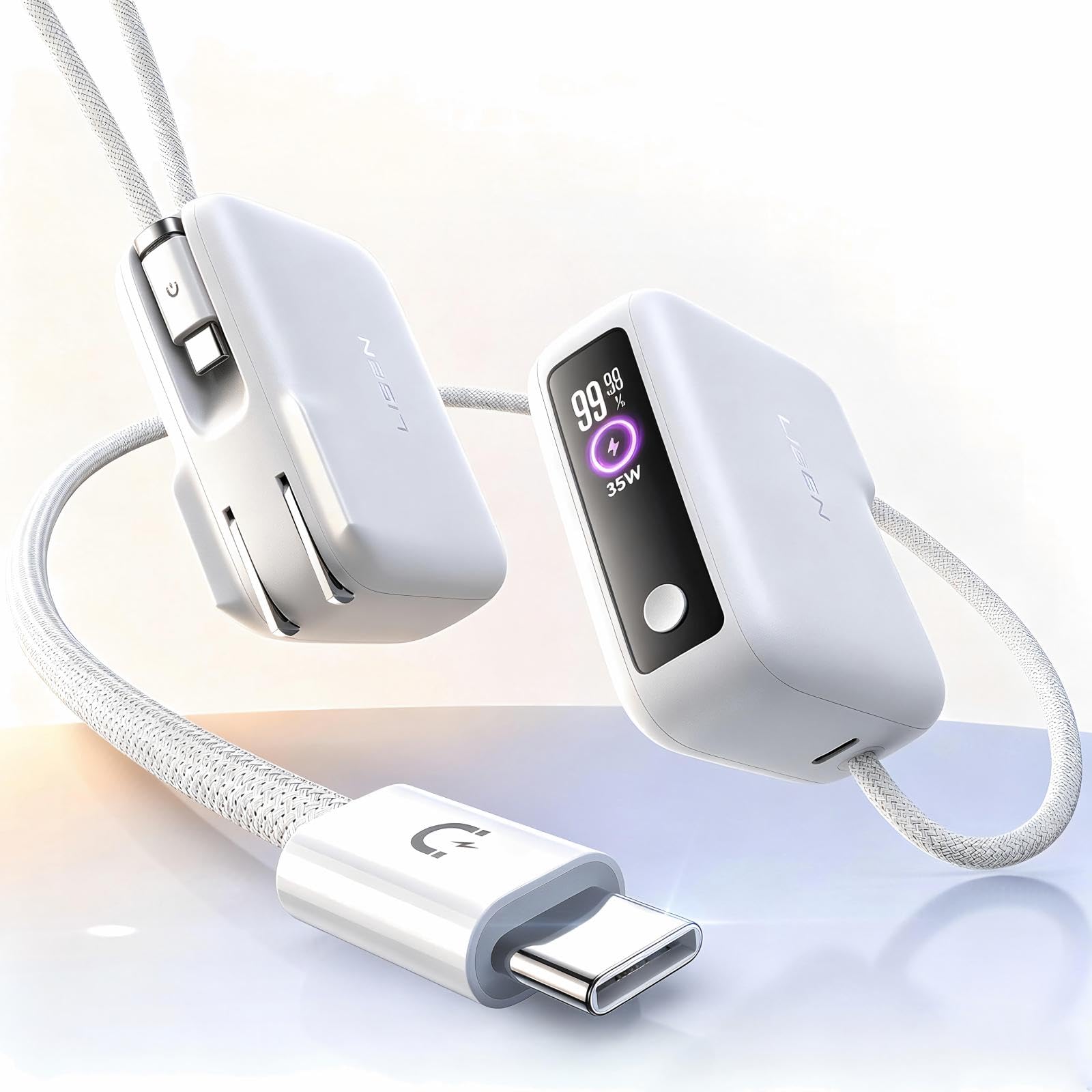
- It combines a wall plug, portable charger, and built-in cable.
- The built-in cable is 3.3 feet long.
- The power bank has 7000mAh capacity.
Best Gift For: A phone user who travels or takes photos and wants a portable charger with an integrated cable.
SABRENT USB-C & USB-A SD Card Reader

- It has both USB-C and USB-A connections.
- The two slots read SD and Micro SD cards.
- The USB 3.0 interface supports transfers up to 5Gbps.
Best Gift For: A photographer or other creator moving files between memory cards and a laptop or supported device.
MAONO Wave T5 Wireless Lavalier Microphone

- The microphone records at 48kHz/24-bit.
- Four voice presets cover several recording styles.
- The charging case provides up to 40 hours of total use.
Best Gift For: A mobile creator recording interviews, vlogs, voiceovers, or other video content.
1. Match the Gift to Their Christmas gifts for people who love tech Routine
Choosing Christmas gifts for people who love tech starts with noticing where a small upgrade would make a visible difference. Someone who works across a laptop and external display may appreciate a desk accessory, while a frequent commuter may value compact charging or audio gear.
Think about what they carry, connect, or reach for every day.
For a remote worker, consider whether the gift belongs at a fixed workstation or needs to travel. A home setup can benefit from more comfortable screen positioning or clearer desktop audio; someone who moves between rooms may prefer a portable accessory that fits in a laptop bag.
For a creator, match the tool to the activity. A person recording a podcast has different needs from someone filming short videos away from home.
If you are unsure, choose a flexible accessory and check that it works with the recipient’s computer, phone, or recording setup.
2. Choose a Comfortable Spending Level
A useful tech gift can be a small accessory or a larger setup upgrade, so choose a comfortable spending level before comparing options. Practical items such as a card reader or charging accessory can be thoughtful on their own, especially when they solve a recurring annoyance.
A more substantial gift may make sense when you know it fits an existing setup.
For Christmas gifts for people who love tech, think about the total setup cost as well as the gift itself. A device may depend on compatible ports, a suitable desk, a particular phone connection, or another piece of equipment.
Check whether any extras are needed and compare current prices before deciding.
When the recipient is difficult to shop for, a modest accessory they can use often may feel more personal than an ambitious upgrade chosen without enough information. Let their habits and your budget guide the choice, and leave room for a return or exchange if compatibility is uncertain.
3. Personalize the Gift and Presentation
Personalization for Christmas gifts for people who love tech can come from understanding how someone actually uses their setup. Pair a desk accessory with a note about helping make a work corner more comfortable, or choose a creator tool for someone who has been talking about a new project.
The connection to their routine makes a practical present feel considered.
Presentation can stay simple and useful. Wrap a small accessory in a pouch they can reuse for cables, or add a handwritten note suggesting a movie night, recording session, or shared setup afternoon.
For larger equipment, a card explaining why you chose it can make an unboxed upgrade feel more personal.
If the product needs setup, offer help without assuming the recipient wants assistance. They may prefer to install it themselves, especially when it involves their desk or device settings.
A low-pressure offer to help check compatibility or organize accessories is often a welcome finishing touch.
4. Check Fit Before You Buy
A thoughtful choice still needs to fit the recipient’s equipment and space. Before ordering, check the device connections, operating system or phone compatibility, desk dimensions, and any mounting requirements that apply.
For audio or recording gifts, confirm that the intended phone or computer can connect in the way the recipient expects.
This is especially useful for gifts that become part of a larger setup. A monitor mount depends on both the screens and desk meeting its requirements, while network equipment may need to work alongside existing internet hardware.
When you cannot verify those details, a less setup-dependent accessory may be easier to give.
Product names and configurations can vary, so review the current product details and included components before purchase. Check dimensions and compatibility carefully, and consider whether a gift receipt or exchange option would help the recipient make a final fit decision.
5. Last-Minute Buying Advice
For last-minute shopping, narrow the options by recipient and use case first, then check actual prices, compatibility, dimensions, and delivery estimates. Christmas gifts for people who love tech can be especially setup-dependent, so a quick compatibility check is more useful than rushing toward the most elaborate option.
If delivery timing is uncertain, consider a printable note describing the gift or a small related accessory the recipient can open while the main present arrives. Confirm the retailer’s current delivery estimate at checkout rather than assuming a shipping date, and keep the order information available in case you need to follow up.
Before completing the purchase, confirm the selected model, color or variant, included accessories, and return terms. Those final checks take little time and help avoid a gift that does not connect, fit the available space, or arrive when expected.