The best office headsets under $100 balance clear calls, comfortable wear, and practical connections for your work setup. These five options range from long-lasting wireless models to a wired headset, so choose based on your meeting routine and need to move between devices.
Quick Top Products
JLab JBuds Work Wireless Headset

- Offers wireless Bluetooth multipoint and a USB-C to 3.5mm wired option.
- Has 60+ hours of playtime and Cloud Foam earcups.
- A red LED indicates when the boom microphone is muted.
Best For: For people who want an over-ear headset with long battery life and convenient call controls.

JLab Go Work Pop

- Connects to two devices with Bluetooth multipoint.
- Has 50+ hours of wireless playtime and USB-C charging.
- The boom mic flips up to mute.
Best For: For hybrid workers who want a light wireless headset with an easy-to-reach boom mic.
JLab Go Work Wireless Headset

- Supports Bluetooth multipoint and wired use with the included cable.
- Provides 45+ hours of playtime and Cloud Foam earcups.
- A red LED indicates whether the boom mic is muted.
Best For: For people switching between computer calls and mobile use who value flexible wired and wireless connections.
SteelSeries Arctis Nova 3X Wireless
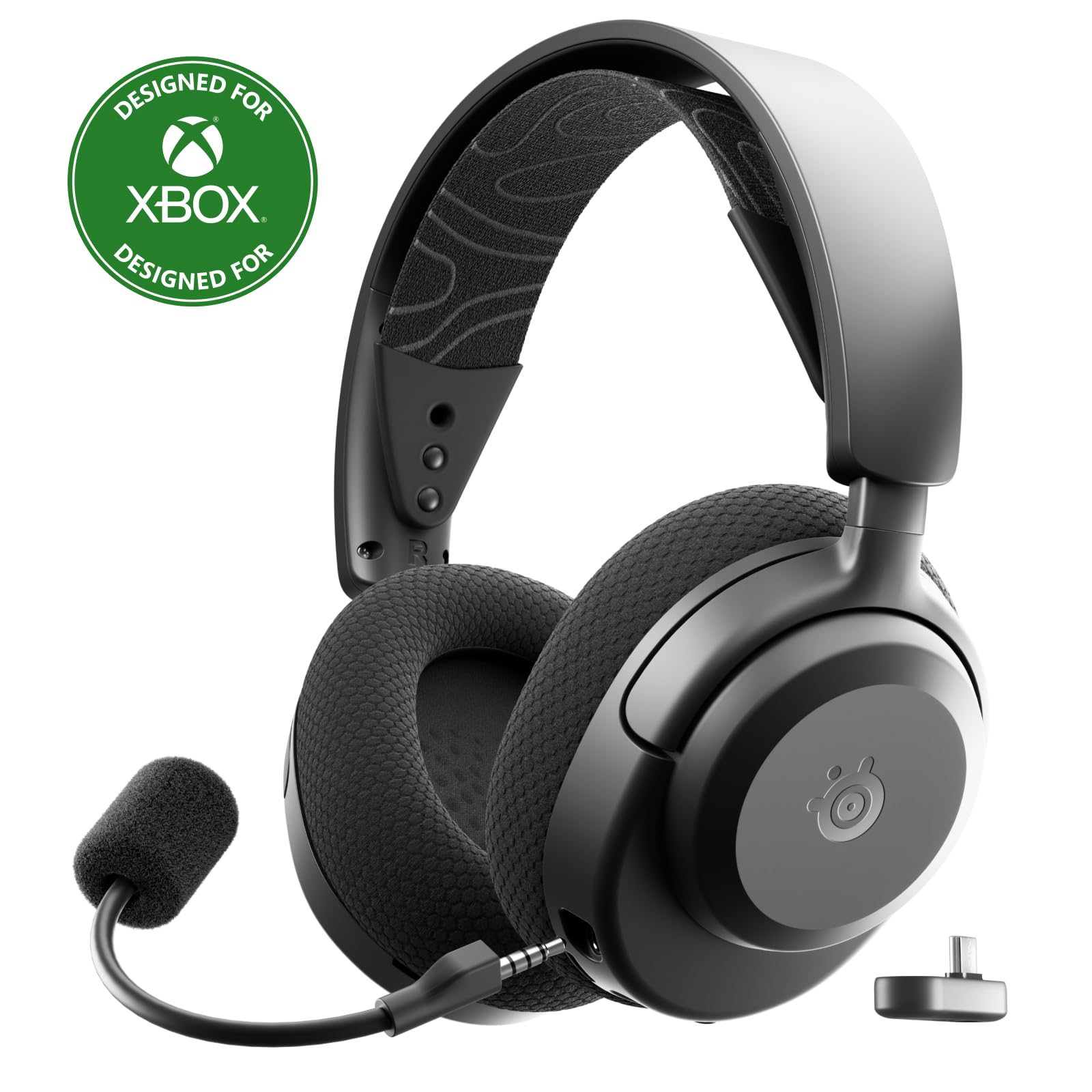
- Works across Xbox, PC, PlayStation, Switch, and mobile devices.
- Fast charging provides up to nine hours from 15 minutes.
- Weighs 260 g and has a stretchy headband with adjustment points.
Best For: For people who split work and play across a PC, console, phone, or tablet and want app-based audio controls.
JLab JBuddies Studio 2 Wired
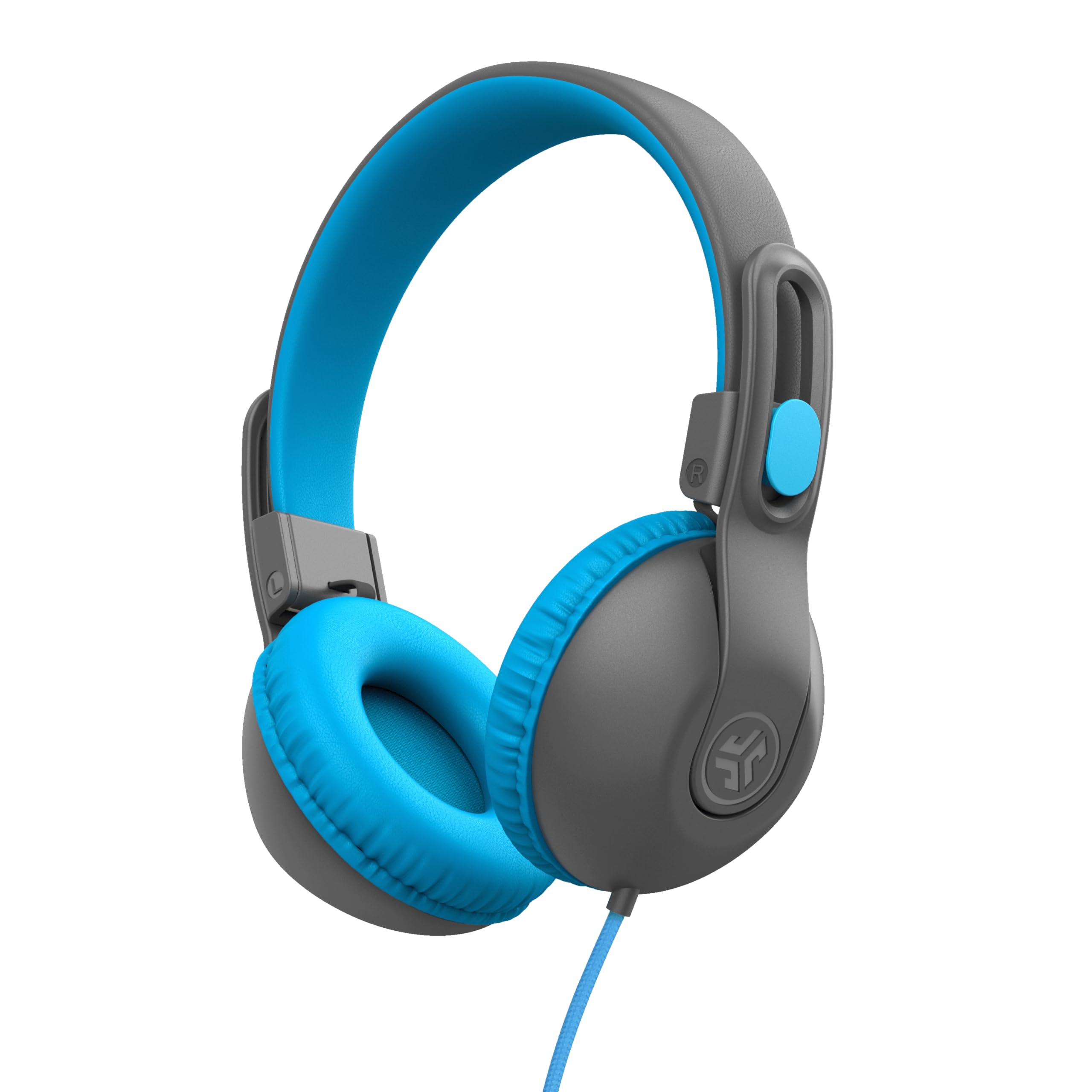
- Uses a wired 3.5 mm connection with an inline mic.
- Includes a built-in volume regulator with an 85 dB limit.
- Adjusts and folds for class or travel.
Best For: For buyers who need a simple wired headset for a child’s school calls or remote learning.
Long-Shift Over-Ear Workhorse
JLab JBuds Work Wireless Headset with Microphone, Over Ear Computer Headsets, Wired or Wireless Headphones with 60+ Playtime, Multipoint Bluetooth Headset for Laptop Teams, Office with Mic (16 Pack)
The JLab JBuds Work pairs an over-ear fit with wireless and wired options for a desk setup that moves between laptop and phone. Bluetooth multipoint connects two devices, while the included USB-C to 3.5mm cable offers a wired fallback.
Its 60+ hour playtime is suited to long stretches between charges, and the dual-microphone setup is designed to reduce environmental sounds on calls. A rotating boom mic, quick mute controls and a red mute indicator help keep meeting controls close at hand.
The tradeoff is its 16-pack product configuration; check the offer details carefully if you only need one headset.
Best For: For people who want an over-ear headset with long battery life and convenient call controls.
| Pros | Cons |
|---|---|
|
|
Choose this headset if you want an over-ear fit, a wired fallback, and controls designed for frequent calls. The 60+ hour playtime and multipoint pairing suit a desk shared by a computer and phone.
The main purchase check is the 16-pack title: verify that the offer configuration matches your needs and that the displayed price applies to the intended quantity. Its controls and work-focused features make more sense for meetings than for someone seeking a simple music headset.
Flip-to-Mute On-Ear Pick
JLab Go Work Pop, On-Ear Wireless Headset, Bluetooth Multipoint, Noise Canceling Boom Mic, Black
The JLab Go Work Pop keeps its office features straightforward: an on-ear fit, Bluetooth multipoint for two devices, and a rotating boom microphone that flips up to mute. The MEMS microphone is designed to reduce environmental background sounds, while separate Voice and Music EQ modes let you switch between calls and listening.
Its 50+ hours of playtime and USB-C charging suit a workweek with few charging breaks. The compact on-ear design may appeal if you prefer a lighter headset at your desk.
Before buying, consider whether you specifically want an over-ear fit or wired connection, neither of which is identified for this model.
Best For: For hybrid workers who want a light wireless headset with an easy-to-reach boom mic.
| Pros | Cons |
|---|---|
|
|
This is a good fit for workers who want a wireless headset with the mute action built into the boom mic. Multipoint pairing can keep a computer and phone connected, and the Voice and Music modes cover calls and breaks between meetings.
Its 50+ hours of playtime helps reduce charging interruptions. Check the on-ear fit and confirm that Bluetooth alone suits your setup, since a wired fallback is not specified.
Dual-Connection Call Headset
JLab Go Work Wireless Headsets with Microphone, 45+ Playtime PC Bluetooth Headset and Multipoint Connect to Laptop Computer and Mobile, Wired or Wireless Headphones (1 Pack)
The JLab Go Work offers a practical mix of connections for office calls: Bluetooth multipoint can keep two devices connected, and the included USB-C to 3.5mm cable allows wired use. Its dual-microphone C3 Calling setup is intended to pick up your voice while reducing environmental sounds.
A rotating boom mic, headset controls and a red mute indicator support frequent calls, while 45+ hours of playtime can cover long stretches between charges. It is an on-ear headset, so fit is a personal consideration for all-day wear.
The package includes both charging and wired-use cables.
Best For: For people switching between computer calls and mobile use who value flexible wired and wireless connections.
| Pros | Cons |
|---|---|
|
|
Choose the Go Work if you want one headset to move between wired desk use and Bluetooth connections to a computer and mobile device. Its boom mic and visible mute indicator are handy for meetings, and the 45+ hour figure reduces the need to charge during the workweek.
The compromise is its on-ear fit; check whether that style is comfortable for your routine. It is a useful middle ground when connection flexibility matters more than an over-ear design.
Cross-Platform Wireless Option
SteelSeries Arctis Nova 3X Wireless Multi-Platform Gaming Headset — Mobile App Control — 40 HR Battery — Neodymium Magnetic Drivers — 2.4GHz/Bluetooth — Xbox, PS5, PC, Switch, Mobile — Black
The SteelSeries Arctis Nova 3X is a wireless headset with broad platform support, including Xbox, PC, PlayStation, Switch and mobile devices. A USB-C dongle provides plug-and-play connection, and the product also supports Bluetooth.
The mobile app offers game presets and audio control, while fast charging can provide up to nine hours of playback from a 15-minute charge. Its 40-hour battery figure and 260 g weight give buyers concrete points to compare for desk use.
This is more gaming-oriented than a dedicated office headset, and its listing does not specify a boom-mic mute indicator or call-focused microphone details.
Best For: For people who split work and play across a PC, console, phone, or tablet and want app-based audio controls.
| Pros | Cons |
|---|---|
|
|
Consider the Arctis Nova 3X if your headset needs to cover gaming and work across several platforms. The app presets, USB-C dongle and Bluetooth provide flexibility, while fast charging is useful when you need a quick return to listening.
For an office-first purchase, compare its gaming-focused controls with the dedicated call controls on the JLab work models. Check microphone and mute behavior for your meeting apps before choosing it as your main call headset.
Wired, Volume-Limited Choice
JLab JBuddies Studio 2 On-Ear Kids Wired Headphones, Grey/Blue, Toddler Headphones, Kid Safe, Studio Volume Safe, Volume Limiter, Folding, Adjustable, Noise Isolation, with Mic
The JLab JBuddies Studio 2 is a wired, on-ear headset made for children, with an inline microphone and a 3.5 mm connection. Its built-in volume regulator is designed to keep audio at or below 85 dB, and the adjustable, folding design can be packed for class or travel.
That makes it relevant to a home learning desk, but less suitable as a conventional adult office headset. It avoids charging and Bluetooth pairing, which can simplify use with compatible devices.
Check that the device has a 3.5 mm jack or an appropriate adapter before buying.
Best For: For buyers who need a simple wired headset for a child’s school calls or remote learning.
| Pros | Cons |
|---|---|
|
|
This model belongs in the roundup for family or school workstations where a child needs a headset for calls or remote learning. Its wired connection means there is no charging routine, and the volume regulator and folding design are relevant practical features.
It is not a general adult office pick: the fit is aimed at ages 6–16. Confirm device compatibility with the 3.5 mm connection, especially when using a laptop or tablet without a headphone jack.
How to Choose Office Headsets Under 100
How We Picked Office Headsets Under $100
We prioritized candidates with features tied to desk calls: a boom microphone, mute control, device switching, or a wired connection suitable for a computer. That favors the JLab Go Work models, which combine work-focused controls with multipoint pairing, and leaves room for a wired option for school calls.
We also included the Arctis Nova 3X for readers whose desk headset doubles as a cross-platform gaming headset.
The catalog includes many general listening headphones and several children’s models. Those can fit a different need, but they do not make strong adult office picks unless their call features and intended fit match the buyer.
The JBuddies Studio 2 is included specifically for a child’s learning setup, not as a typical office headset.
Comparing Office Headsets for Calls and Desk Use
Connection flexibility is a useful first comparison. The Go Work and JBuds Work support Bluetooth multipoint and include a wired-use cable, while the Go Work Pop focuses on wireless multipoint.
The JBuddies Studio 2 uses a 3.5 mm wired connection, so it avoids charging but requires a compatible jack. The Arctis Nova 3X uses a USB-C dongle and Bluetooth for a different mix of devices.
Microphone controls also vary. The work-focused JLab models have a boom mic and mute controls, including a visible indicator on the Go Work and JBuds Work.
The Go Work Pop flips up to mute. The supplied details for the Nova 3X focus on gaming presets and platform support, so confirm its call controls against your needs.
For long workdays, compare the stated battery life and choose between on-ear and over-ear fit based on personal comfort.
| Product | Standout features | Best for |
|---|---|---|
| JLab JBuds Work Wireless HeadsetCheck Price |
| For people who want an over-ear headset with long battery life and convenient call controls. |
| JLab Go Work PopCheck Price |
| For hybrid workers who want a light wireless headset with an easy-to-reach boom mic. |
| JLab Go Work Wireless HeadsetCheck Price |
| For people switching between computer calls and mobile use who value flexible wired and wireless connections. |
| SteelSeries Arctis Nova 3X WirelessCheck Price |
| For people who split work and play across a PC, console, phone, or tablet and want app-based audio controls. |
| JLab JBuddies Studio 2 WiredCheck Price |
| For buyers who need a simple wired headset for a child’s school calls or remote learning. |
Choosing a Wireless Headset for Hybrid Work
If your workday moves between a computer and phone, multipoint can reduce the need to disconnect and reconnect. The JLab Go Work models pair with two devices; the Pop Work title and notes also identify PC, Mac, mobile, Windows, iOS and Android compatibility.
Check your operating system and connection needs before purchase, especially if you rely on a wired fallback.
Battery figures help plan charging, but they do not describe comfort or call quality by themselves. The JBuds Work has the longest stated playtime among the selected work models, while Go Work Pop and Go Work also offer long wireless runtimes.
Consider whether you prefer on-ear or over-ear cushioning and where you want the mute control to sit.
Who Should Buy Which Office Headset?
Choose the JBuds Work if an over-ear design, 60+ hours of playtime, and wired or wireless connections fit your desk routine; verify the 16-pack configuration before ordering. The Go Work is a fit for buyers who want similar wired and wireless flexibility in an on-ear headset, while the Go Work Pop suits those who prefer flip-to-mute and wireless multipoint.
Pick the Arctis Nova 3X if one headset needs to span gaming platforms and work, and check microphone behavior for your meeting apps. For a child’s school calls, the wired JBuddies Studio 2 offers an inline mic and volume limiter; confirm a compatible 3.5 mm jack.